-
Went for a social distanced walk around Stanley Park with Sean Lynch. Really great discussion!
-
I mentioned When Tailwinds Vanish: The Internet in the 2020s as I do to all people building Internet businesses these days.
-
Sean mentioned DBT, which he described as “Jinja templates for SQL” — basically, a way to make SQL more modular and more maintainable, without having to have an abstraction layer over top of it.
-
Question from Sean, who lived in Vancouver’s West End about 15 years ago, was why it didn’t seem to have changed much. That is, different businesses and a few changes, but that it seemed “sleepy”, in an area of the city that’s right next to English Bay and Stanley Park and would seem to be generally desirable to live in.
-
My theories are:
-
Limited Turnover: long term rentals, not a significant amount of new building to make a difference, and not a common place for things like student rentals, so not high turnover on a regular basis.
-
Two buses from anywhere: to get anywhere else in/out of the West End, you’re always going to have to take at least two buses (or a bus to get to a Skytrain connection).
-
I guess there have been some new buildings closer to Burrard / along the water, but that’s not really the west end anymore, and they have all been exclusive / expensive condos and townhouses, so again not large numbers of people.
-
We talked a bit about housing since Sean knows I’m interested in Cobuilding. Berlin and their rent freeze came up, and also the term Overton Window , which is a conceptual tool I find myself using a lot, so now I’ll have an entry here for it.
Daily Journal 📓 November 2020
Short dated entries, links, and microblog-style notes.
title: Nov 28, 2020 date: 2020-11-28 category: Journal
Flancian’s Anagora
I’ve been having a conversation with Flancian about their Anagora project: a meta / multi-user knowledge garden. They have implemented Roam Research, Foam, and Obsidian adapters so far.
Since I’m working on a Simply Jekyll Template repo that is less customized than my site here, I can use that to see about connecting into Anagora.
- Lots of catching up with people this week. It’s Thursday night / Friday “morning” and I’m reflecting.
- Today (Thursday, that is), I met up with DH for coffee, which had me reflect back to Finhaven and the path that has lead here to Fission.
- Had a call with Amanda K one morning, sent her a link to When Tailwinds Vanish: The Internet in the 2020s. She was interested in my blog layout here and was asking about whether it needed a dev or not.
- That led me over to the original Simply Jekyll, since this site is super customized and in a private repo. I forked it into a public repo here: https://github.com/bmann/simply-jekyll
- And then I setup Forestry so that Amanda could use it “without a dev”. Deploy is Netlify, because Simply Jekyll won’t run on Github Pages. I’ll need to do a proper HOWTO and properly setup the forked repo as a template repo to make it easy for people to run their own version. Sample site up here: https://quizzical-bartik-446efa.netlify.app
- That’s one framework Jekyll, a free tier git code hosting with Github, a second free tier commercial service Forestry, and then a third free tier build/hosting service in Netlify. That’s a lot of heavy lifting for “just” a blog + notes. Forestry from a day to day, week to week perspective is the most valuable part of that: the actual editing app.
- And tonight, I just finished pushing a new site for Cobuilding live. Forestry setup was a little trickier because Minimal Mistakes has complicated Front Matter at times, I’ll go back to it in a bit.
- Why are these two sites not on Fission? Forestry needs to connect to a git provider is the short answer.
- I’m doing some tinkering with Frontity, a React front end framework designed to use Wordpress as a Headless CMS, that will be a good fit for hosting on Fission.
- And now, to bed.
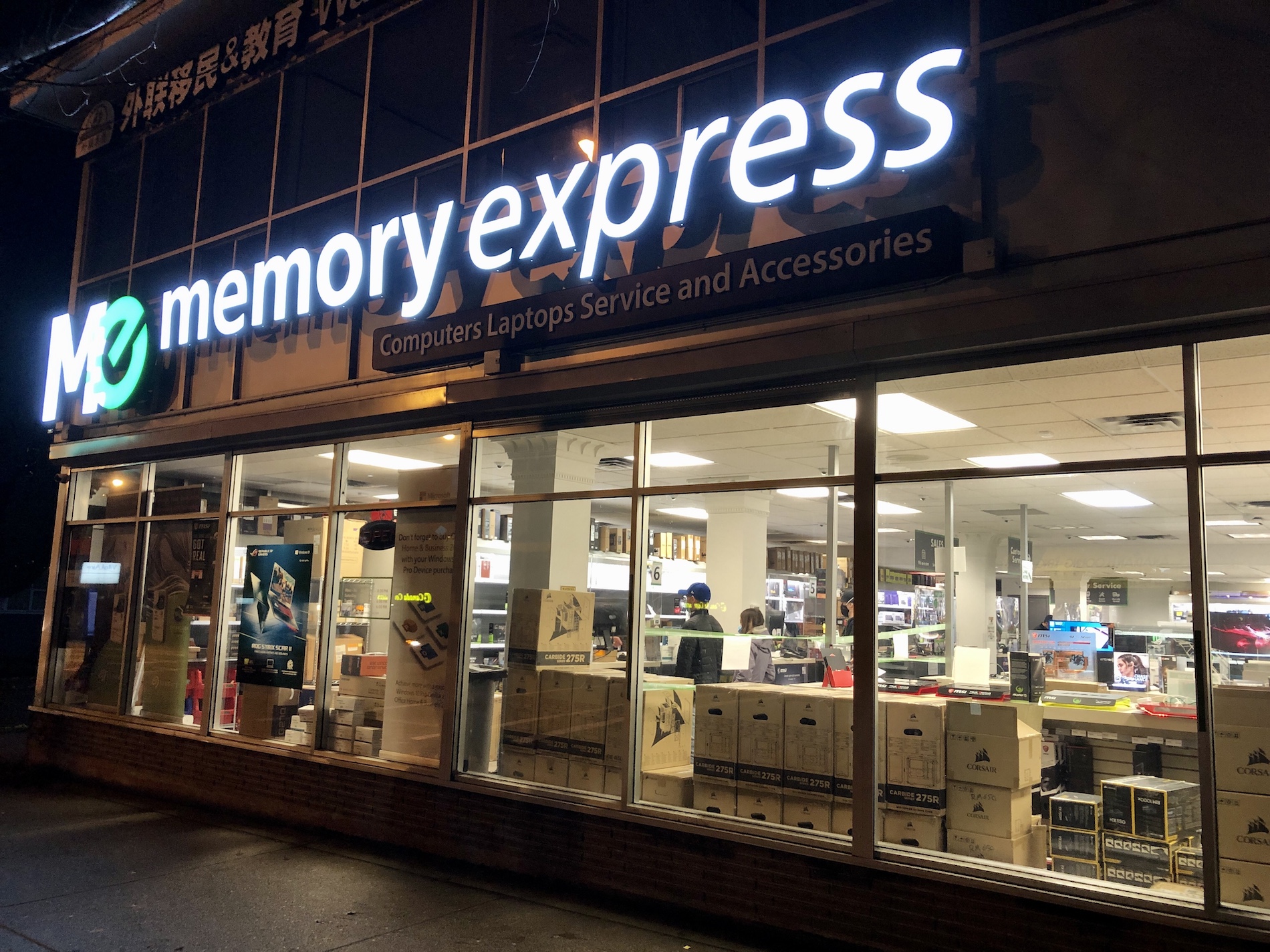
- Following up on [researching external drives](Nov 14, 2020), I biked over to Memory Express to buy an external NVMe enclosure and a 2TB NVMe drive.

- The enclosure and drive I had researched before weren’t available and because of the pandemic they aren’t really allowing browsing. So, I had the sales person look up the different options for me.
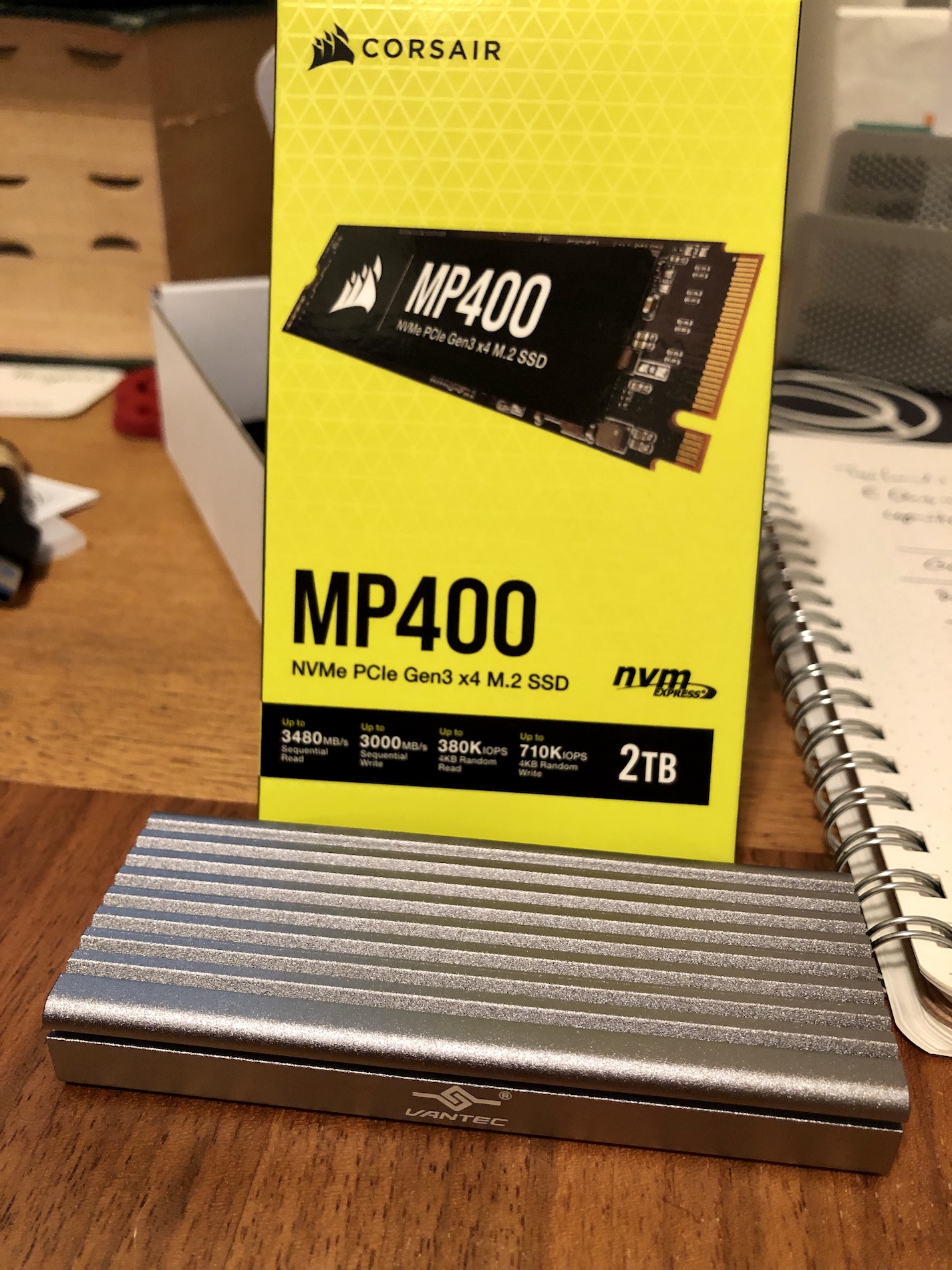
- I ended up with the Vantec USB3.1 NVMe Enclosure and a 2TB Corsair drive. There were slightly cheaper options than the Corsair, but it was a name I recognized and I figured it shouldn’t be the absolute cheapest:

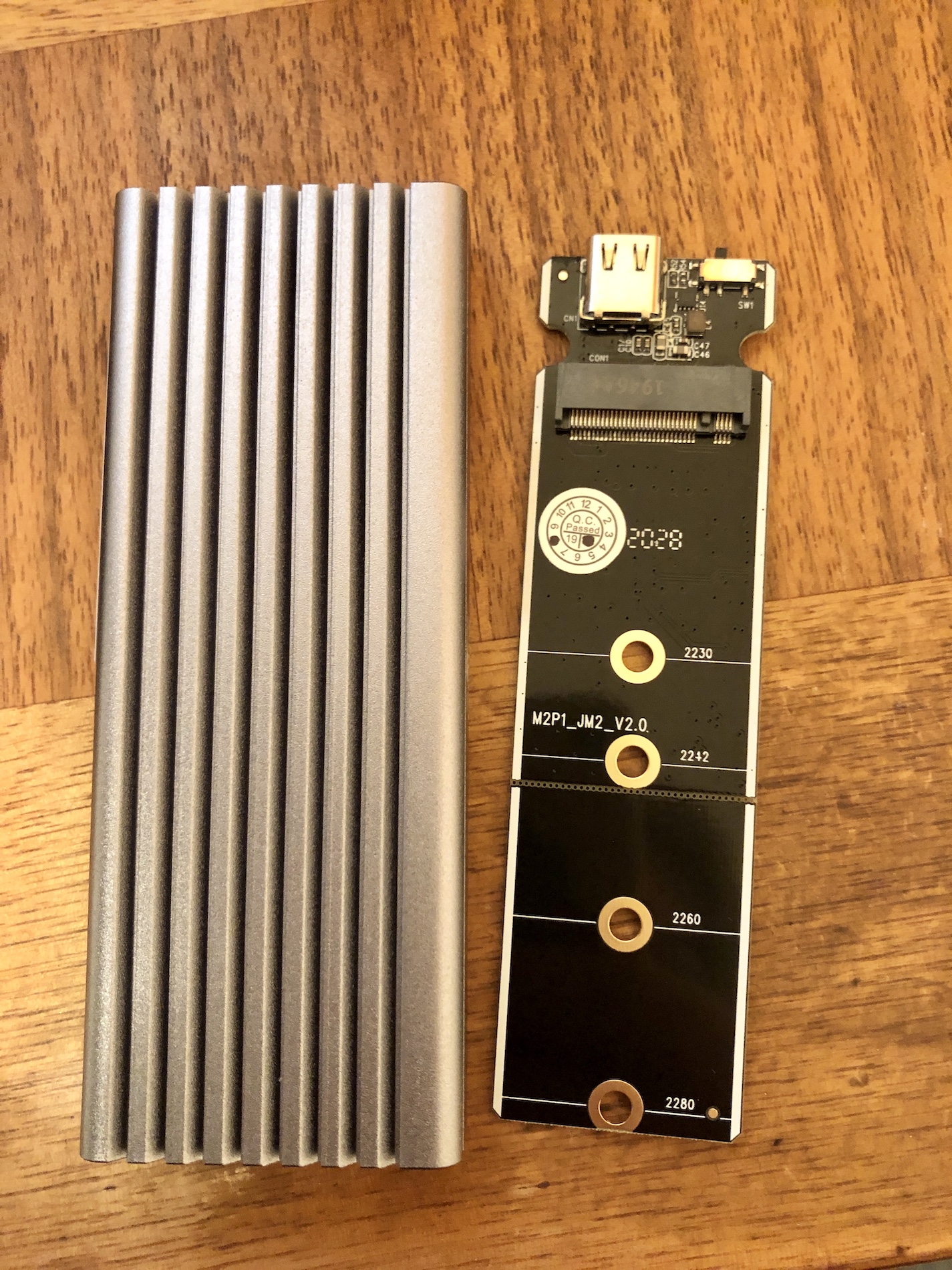
- The Vantec metal enclosure, and the board that the NVMe gets installed to:

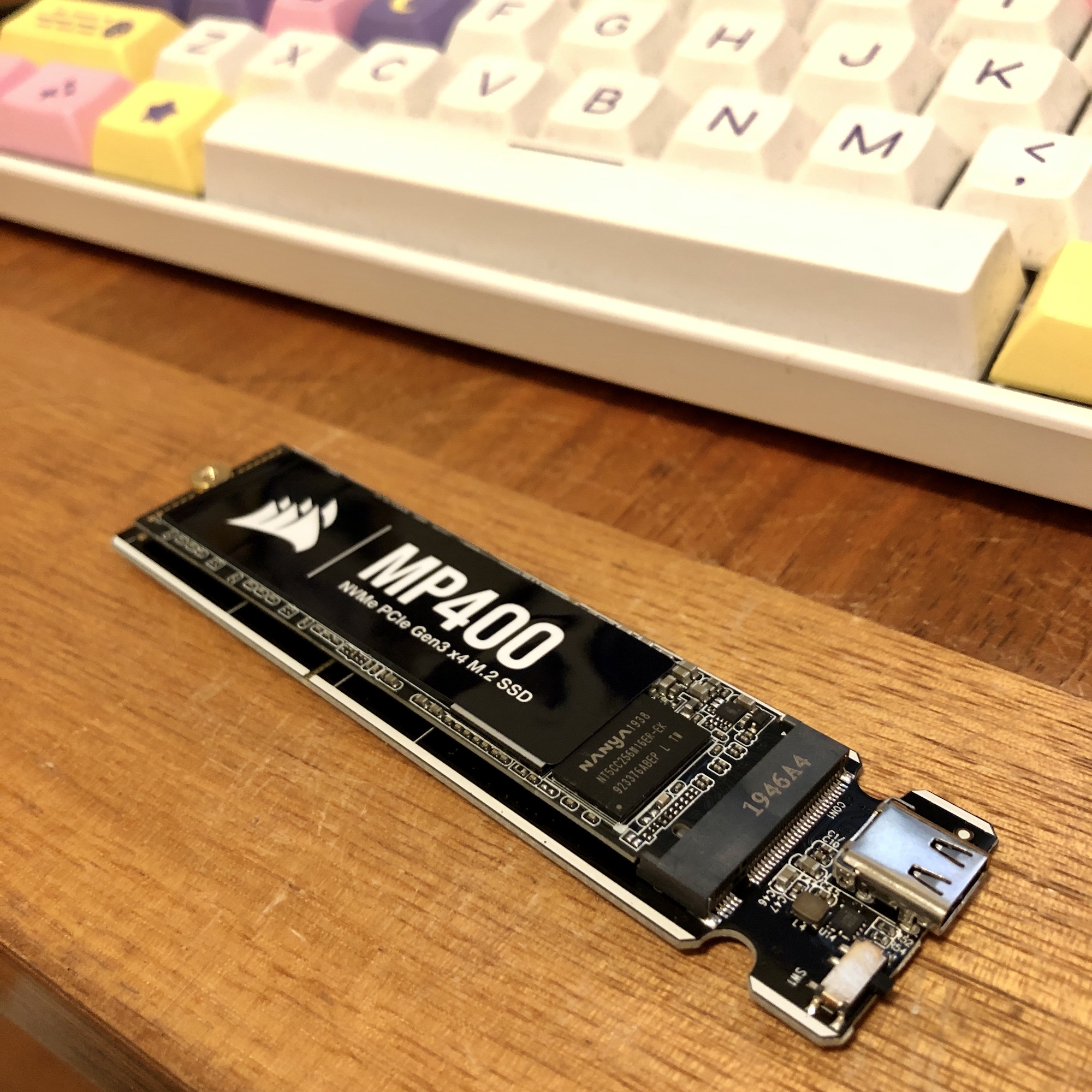
- Here’s the Corsair snapped into the board. I’ve already screwed down the far side with the included nut and screw:

- After that picture, there is a thermal paste strip that goes right on top, and then a heat sink (strip of metal) that is sort of wedged on top of that. You slide it back into the Vantec metal enclosure.
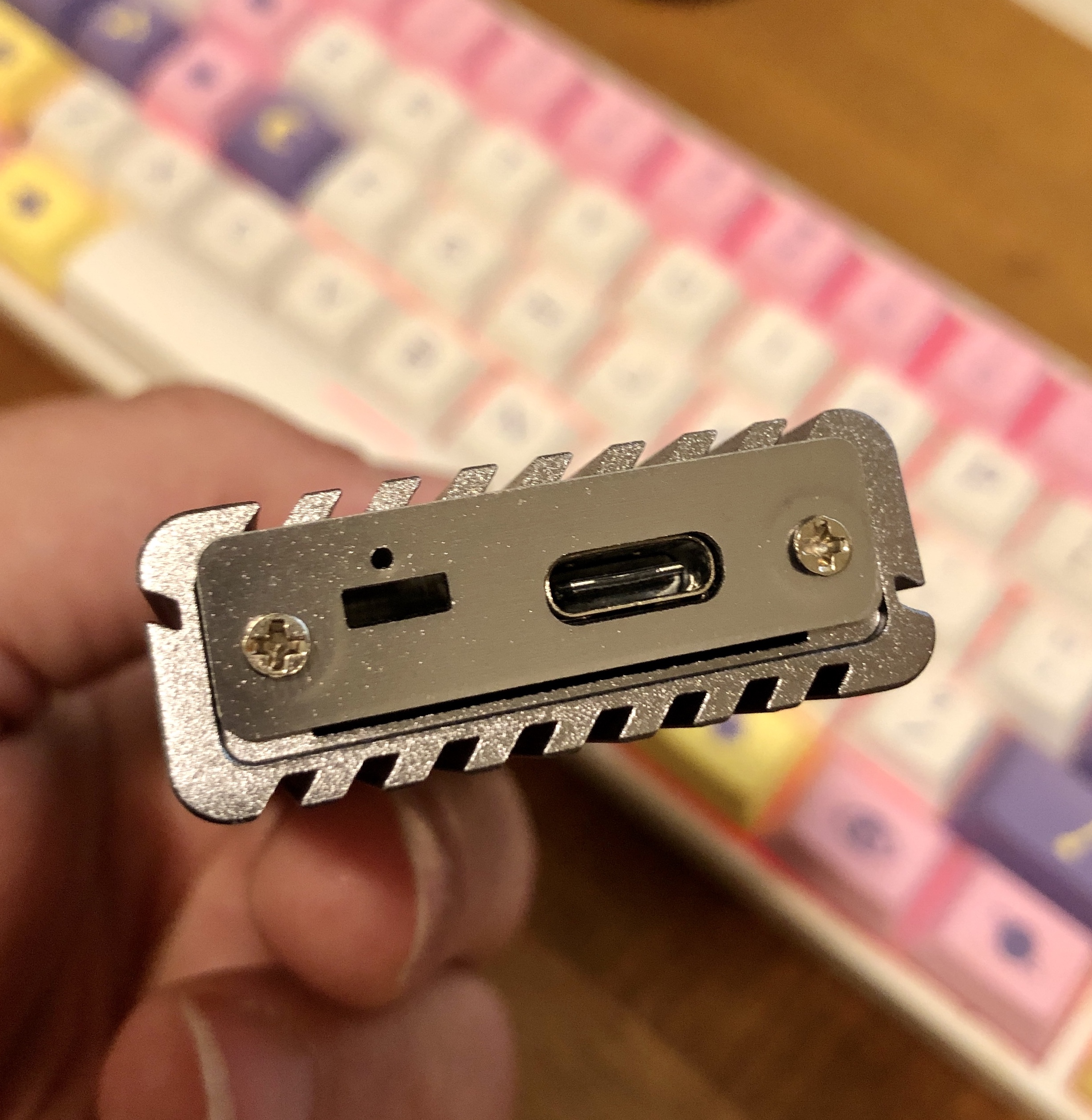
- You can see some fit and finish issues with the end plate that is fastened in with two screws:

-
Formatting NVMe on MacOS
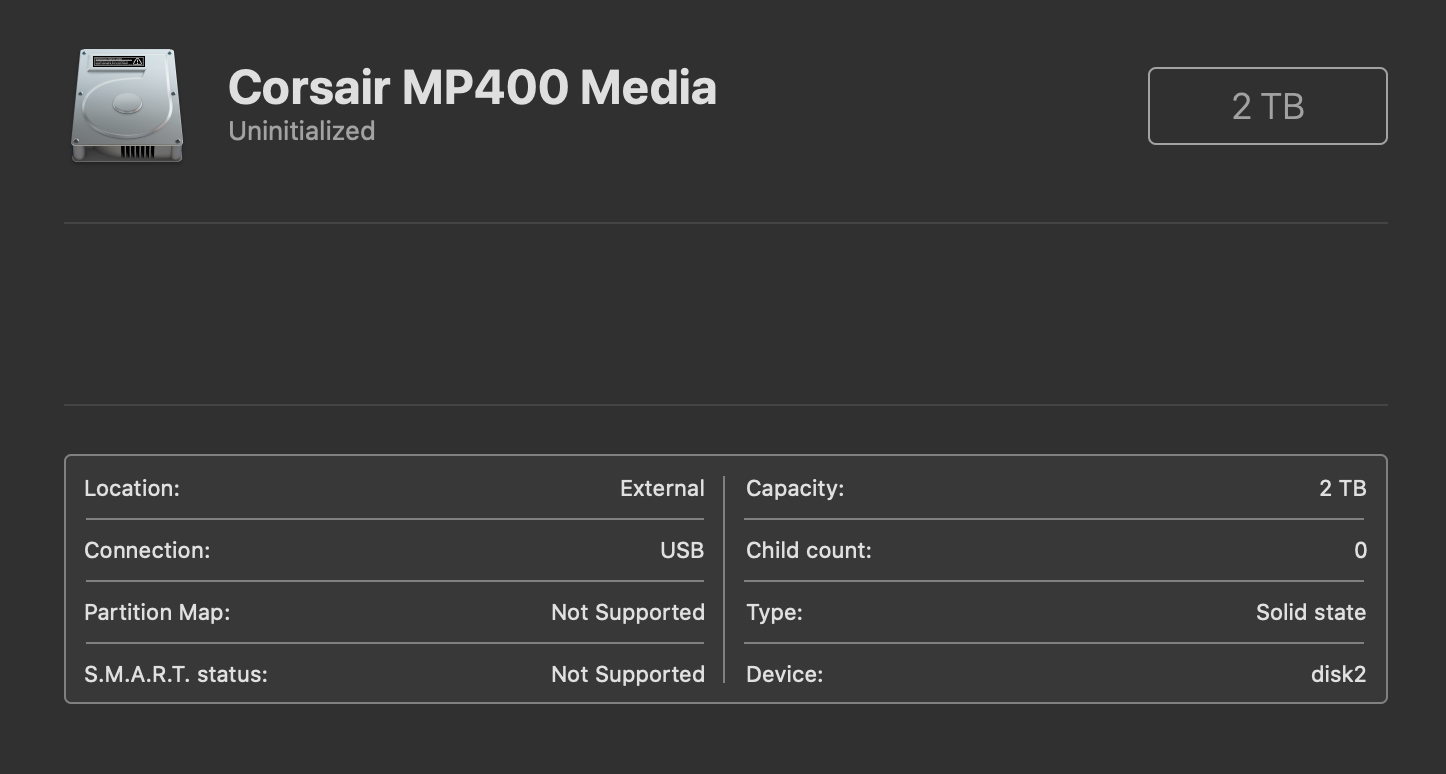
- For now, I’m formatting this for just MacOS. Here’s how the drive shows up in Disk Utility before formatting:

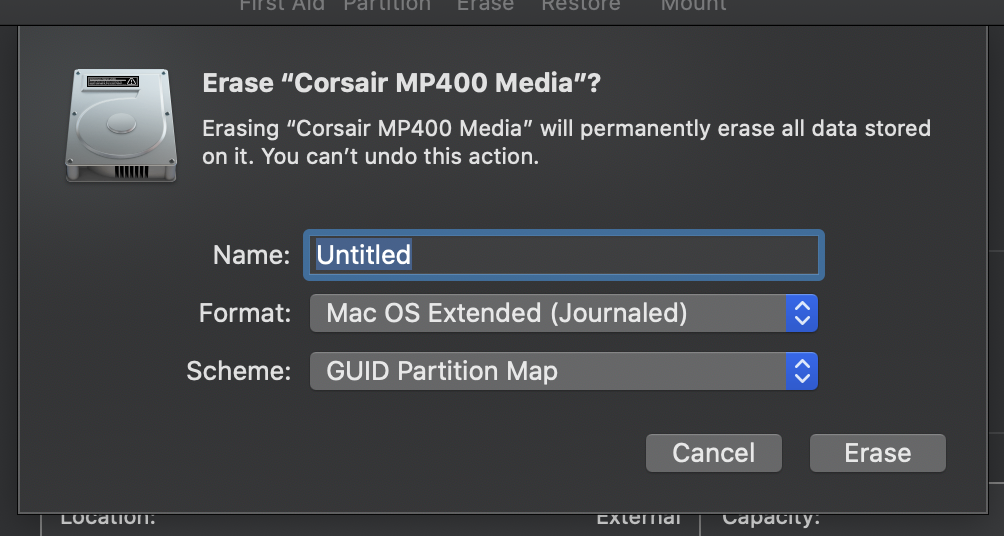
- The option you want to pick is actually “Erase”, and you’ll get this dialog:

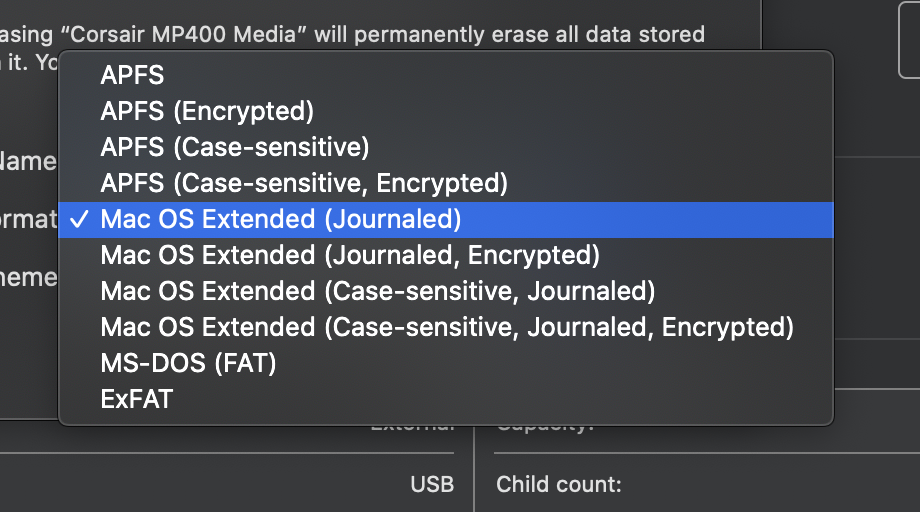
- Lots of format options here. No, you don’t want to pick MacOS Extended. Apparently, Apple File System APFS is what you want. It’s also what’s used in iOS, and it’s optimized for solid state drives (SSDs). More detail on the Apple Disk Utility support guide. I went ahead and just chose the plain APFS version.

- The default GUID Partition Map is what you want to pick for modern computers.
- OK! Now I’ve got an extra 2TB!
- First thing I did was create a new Steam game library folder on the new disk. I’ve only got 512GB on the inside of this Mac Mini. Inside Steam, you can now move games between library folders, which makes this a lot easier than it used to be.
- Next up is documenting how to work with Filecoin, which was the driving purpose of this purchase!
alias:: Nov 20th, 2020
- I had a call today with Claire and Nandini of Check My Ads and Andrea.
- Check My Ads currently runs the BRANDED newsletter on Substack and were interested in Ghost.
- Andrea is starting a new business and communicating with a lot of people on a lot of different platforms, and was looking at a newsletter option of Substack vs Ghost and generally owning her content.
- I demo’d the Ghost editing interface using the DeployToHeroku version of Ghost + IPFS that I maintain for Fission.
- I had spoken with CanTrust Hosting Coop, a Canadian hosting coop, and they don’t currently support Ghost. Cooperative web hosting, tech support, and open source software development consulting is something that I’m interested in seeing more of, as I wrote in Joining Social.Coop. I’ve had a good discussion with the team at CanTrust, some of which I’ll look at posting.
- TLDR:
- I created the Ghost and Substack pages here to collect info on those systems.
- I can recommend and support paying for Ghost’s commercial hosting — they are a non-profit foundation producing open source software.
- If you’re going to use Substack, use a custom domain.
- For those for whom even $29/month is too much money, the 1 click deploy works to get started for free if you set up a Heroku account. Not really recommended unless you’ve got a technical person to back you up or are yourself comfortable with Git and Heroku already
-
Art Gallery and Downtown
-
Rachael and I actually slept in a bit (for us) and had breakfast at home, and then went out to the Vancouver Art Gallery.
I spent a lot of the week only being indoors, on way too many Zoom calls.
You need to book an appointment ahead of time, and have to wear a mask in the gallery. There were maybe 4 other people we encountered wandering around during our booking slot.
The Victor Vasarely exhibition — pop art — was amazing. I posted on social.coop, including a painting that matches Rachael’s new sweater. We’ll see if I get around to posting more research and photos about Vasarely later.
Then we went to The Bay. Much more crowded and feeling uncomfortable, although masks are required. Bought a 9x13” baking pan, and a quarter sheet with a grill/tray that will be for roasting various things.
I suggested Miku for lunch. Yes, a bit high end and pricey — but very delicious. Reflecting on how lucky and privileged we are to do things like this occasionally.
-
-
Researching External Drives at OWC
- I bought my RAM upgrade for the Mac Mini1 at OWC, and thought I’d look at their external drive options too.
- Do I need a Networked Attached Storage (NAS) device, or do I just need drives attached to the computer directly? I’m thinking that I don’t actually need a NAS, although it would do other things as well.
- I think what I need is:
- 2.5” SSD drives — not 3.5” spinning platters
- multiple drives in an enclosure — I don’t think I need RAID for redundancy (this isn’t backup, for which, for my purposes, some cloud solution still works) — but some sort of spanning and ability to swap out drives
- Thunderbolt 3 aka USB-C connection
- at least 2TB to start — my 500GB Mac Mini hard drive is almost full, in part because of Steam games
- The Thunderbolt Drives section of OWC is a good starting point for letting you filter.
- I narrowed it down to:
- Mercury Elite Pro Dual with 3-Port Hub: 2 x 2TB SSDs, USB3 rather than Thunderbolt, but it’s a USB-C connector. $799USD.
- ThunderBay 4 mini: 4 x 1TB SSDs, SoftRAID / RAID 4, Thunderbolt 3. $1079USD.
- Express 4M2: 4 slot M.2 NVMe SSD — the “hard drives” that look like RAM sticks. Thunderbolt 3. Comes with SoftRAID. No drives included. $279USD (enclosure only). The reviews on Amazon for the 4M2 are helpful, e.g. “not at full 4x speed unless you have four SSDs in the enclosure. It seems stable when occupying a Thunderbolt-3 slot with no daisy-chaining”
- Hmmm. Now down the rabbit hole of NVMe drives, which are VERY interesting. OWC has a couple of enclosures:
- Envoy Pro EX: 2TB NMVe, USB3 speeds / USB-C connection. $349USD (enclosure only is $49USD).
- Envoy Express: a Thunderbolt 3 connection, no drives included, and looks like it’s in pre-order. About 50% faster than the USB3 connection. $79USD.
- Looking over at Memory Express with a search for NVMe there are lots of results of different types of drives (in CAD rather than USD).
- Here’s a USB3 NVMe enclosure Elite M.2 NVMe PCIe 2280 External Enclosure — $49CAD.
- And here’s a 2TB NVMe drive that is Gen3/Gen4 — so “slower”, but since this is external, the external bus interface is the max speed anyway, and all NVMe drives are faster than the bus interface. XPG SX8200 Pro 2TB is $299CAD. Newer and well known brands like Samsung EVO are like $400CAD+ for 2TB.
- Conclusion: I don’t know enough about this at all, and this is before I start researching NAS solutions.
- I think an NVMe enclosure and 2TB drive makes the most sense right now. The Express 4M2 then becomes an upgrade to re-use the 2TB drive. And, generally, Thunderbolt 3 interfaces are just coming to market.
Footnotes
-
Still not installed! The last Amazon delivery got me the right T6 “secure” size of screwdriver, and I got two of the flush fit screws off, but the other ones won’t turn with the screwdriver. I don’t really know what I’m going to do at this point. I had read elsewhere about someone in the same situation whose screws didn’t turn out of the box, and took it in to Apple to help with having the screws removed. I’m super annoyed that I can’t get this done! ↩
date: 2020-11-08
Went for a bike ride in the morning. Super sunny day, but also cold. Vancouver winters have been getting brighter — but also colder. Need a balaclava as the final piece of my biking gear, to cover my ears and neck.
Just spent 30 minutes setting up a UPS Payment Account in order to attempt to pay a bill online for customs brokerage fees. There is a 10-digit account number on the invoice, but of course clicking between the different options, the maximum is for a 9-digit account number (and that’s some sort of special account?). UPS Canada, a paper invoice with a tear off, suggesting I stick a paper cheque in postal mail, is not going to work well for me OR you.
I am now using the chezmoi dotfiles manager. I’ve currently got my dotfiles on Github but private, I should open them up. I am trawling through walkah’s dotfiles who is busy going down the Nix rabbit hole.
Cleaned up the office today, still stuff to get rid of, but especially with Province of BC announcing no social gatherings, it means the “Zoom room” here is going to be where I’m going to be spending a lot of time.
The clean up was in part because of getting the Amazon order from [yesterday](](/journal/2020-11-07-journal.md) — webcam, torx screwdrivers, and the PowerColor graphics card. Now I’m just waiting for the Razer Core X Chroma eGPU enclosure.
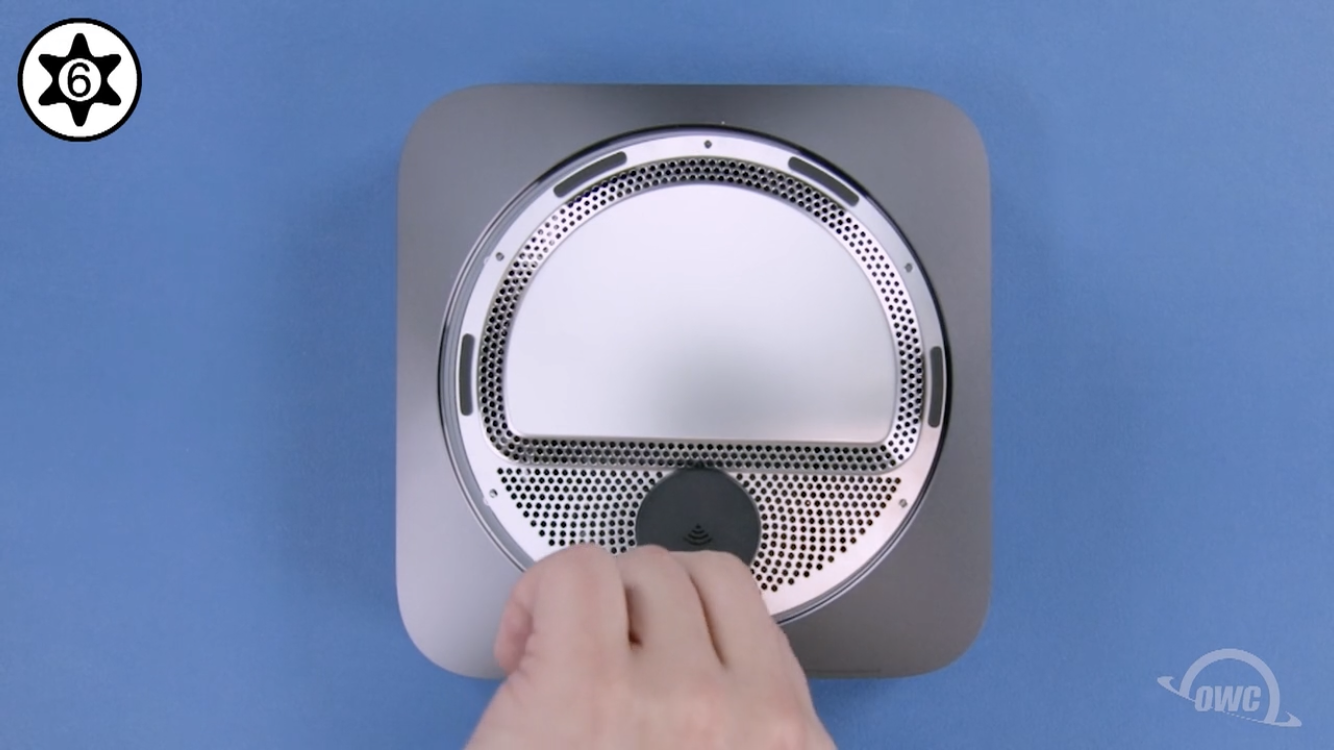
Maybe I’ll install the 32GB memory upgrade for the Mac Mini? Surprise! Once again the kit I ordered doesn’t have the correct T6S (or H or R — the “security” one with the hole in the middle) torx screwdriver. Aaarggghhhh!
Screenshot from the OWC Mac Mini Memory Upgrade video of where I’m stuck — can’t even get the bottom plate off without the right T6 “Secure” screwdriver!
Now I’m futzing with the setup of my notes / blog here. Using VS Code directly seems to make the most sense for me. I am “using” Foam and still figuring out how I want the various plugins setup. I turned off the Gray Matter theme, didn’t quite work for me.
The author of the Markdown Notes VS Code plugin, Andrew Kortina, writes up how he has VS Code configured. I’m trying out the Tomorrow Night Theme, including some of the tweaks that Kortina uses, plus the tips on changing formats in VS Code.
- OK, I clicked the buttons and made what I think are all my final purchases for my Mac Mini, other than external storage.
- But first: I bought an Asus VG289Q Monitor at Best Buy earlier this week. Got it home and the screen wouldn’t stay on?
- At first I thought the wimpy Mac Mini maybe couldn’t drive it through HDMI and I needed a USB-C to DisplayPort adapter, but those adapters don’t really exist. I looked around and the various HDMI cables now do have different “ratings” on them. I bought a short gold plated HDMI cable and yes! — the monitor works fine.
- I looked back and forth at various eGPU options. I decided the Razer Core X Chroma was the best enclosure for me. I plan on using it for both Windows and Mac over time, and as an external enclosure it’s even possible to upgrade the video card.
- I did read through the Bootcamp for eGPUs but I don’t think I will attempt Bootcamp. Who knows how much longer it will be around / keep working as Apple transitions to ARM.
- Looking at the EGPU.io builds filter with a Mac Mini and the Razer Core X Chroma selected helped me pick the graphics card to buy. There were only 2 Mac Mini builds listed, both using an AMD RX 5700 XT. I debated about getting a cheaper card, but I’d rather finish off my purchases now.
- Then I was back in graphic card comparison hell, because the AMD RX 5700 XT is just a chipset (I guess???) and many different manufacturers put together the final cards.
- I ended up with PowerColor Red Devil AMD Radeon RX 5700 XT 8GB AXRX 5700XT 8GBD6-3DHE/OC, for $611CAD. No, I don’t even totally understand what that means.
- Hopeful that this Kingsdun Torx Screwdriver Set has what I need.
- And ended up with a Vitade 1080p webcam with ring light as well.
- I did experiment with Camo by Reincubate to use my iPhone as a webcam. I have an iPhone / iPad stand clamped to my desk, and it does work — and with very good quality! But it’s not like I can keep my iPhone clamped in there all the time.