Nov 20231:00am
Daily Journal 📓
Short dated entries, links, and microblog-style notes.
Oct 20231:00am
- I’d like to see if I can get Indie Kit packaged for #Cloudron
- For starters, that means following the Cloudron/Packaging Tutorial
- I’m following the #NodeJS instructions, but really that means working with #Docker
brew install dockerdocker logingives me-
WARNING! Your password will be stored unencrypted in ~/.docker/config.json. Configure a credential helper to remove this warning. See https://docs.docker.com/engine/reference/commandline/login/#credentials-store - OK, I’ll look at that later
- Running the one liner
docker build -t username/nodejs-app:1.0.0 .-
DEPRECATED: The legacy builder is deprecated and will be removed in a future release. Install the buildx component to build images with BuildKit: https://docs.docker.com/go/buildx/ - Let’s see if brew has this, yep
brew install docker-buildx - With some advice about linking it into
~/.docker/cli-plugins - New error:
ERROR: Cannot connect to the Docker daemon at unix:///var/run/docker.sock. Is the docker daemon running? - Ugh. I guess I actually do have to install Docker on this Apple/Macbook Air M1 2020 https://stackoverflow.com/questions/44084846/cannot-connect-to-the-docker-daemon-on-macos
-
Oct 20231:00am
- I was asked for a personal bio for the Stolon Mesh project, and asked if it was OK to use the content on LinkedIn
- Which meant I had to go look up what it even says there! Boris Mann/LinkedIn
- It’s… fine. Decided to write up a little custom snippet Boris Mann/Bio
- Thinking once again about the sprawling nature of my many websites and places to put things
- I could run a Ghost website on Cloudron, but that doesn’t reduce the places to post
- The arguments
Oct 20231:00am
- Cleaned up Tools for Thought Rocks #Obsidian site some more https://notes.toolsforthought.rocks
- Mainly converting from the old #LogSeq format — I did add quite a few pages to the old site
- More Commons Computer #Cloudron setup
collapsed:: true
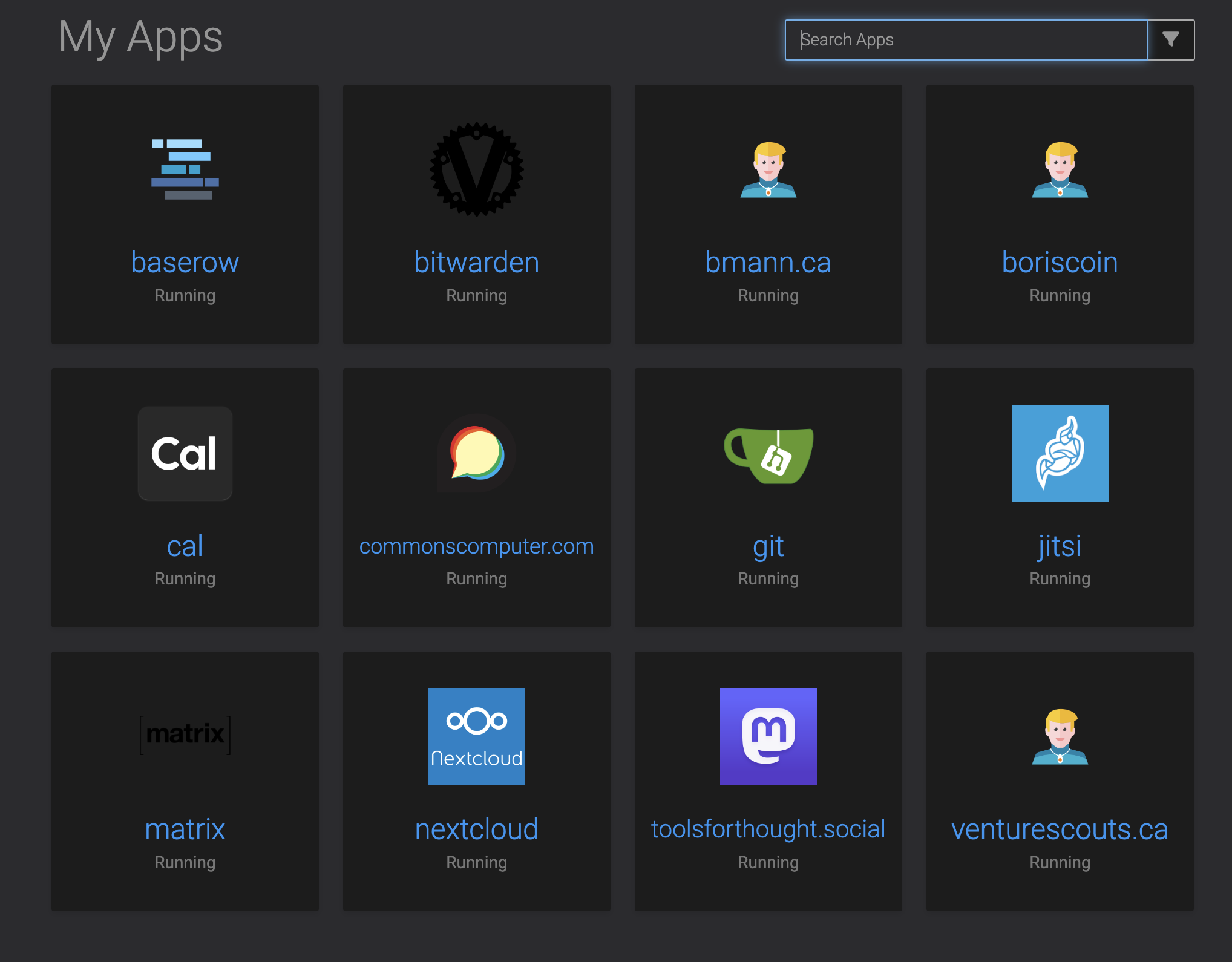
- Here’s all the stuff I have running:
-
- I added Google/Calendar support to Cal.com
collapsed:: true
- Google Cloud and OAuth apps are just… extremely complicated https://cal.com/docs/introduction/quick-start/self-hosting/install-apps/google
- I can add up to 100 users in test mode, which seems like lots if anyone else wants to share a Cal.com instance
- I like that Cal.com can in fact setup weekly limits for bookings
- My remaining wishlist item for this is to be able to select daily / weekly limits across all event types!
- Installed Vaultwarden the Rust implementation of Bitwarden
- I also added a #Jitsi server at https://jitsi.commonscomputer.com
collapsed:: true
- These Jitsi servers are pretty basic, unclear how much load there actually is?
- General observation: #Mastodon eats storage
collapsed:: true
- Looking at storage usage on #Cloudron, Tools for Thought Rocks/Mastodon is at 8GB
- This will be mostly cached media attachments
- For reference, #CoSocial goes through 2TB of cached media attachments per month, with about 100 users
- Looking at storage usage on #Cloudron, Tools for Thought Rocks/Mastodon is at 8GB
- Here’s all the stuff I have running:
- Principles for sharing on the Internet, by Sari Azout
-
- Do the work required to have an opinion
-
- Allow yourself the uncomfortable luxury of changing your mind
-
- Cultivate intellectual humility
-
- Choose your words carefully
-
- Be kind, even if you are right
-
- One more Commons Computer #Cloudron install, n8n
Oct 20231:00am
- I’m deleting DMARC entries from my DNS
-
"v=DMARC1; p=reject; pct=100" - Which apparently fixed things? I gave Commons Computer #Cloudron a couple of domains that have Google email attached
- It sets up a bunch of SPF and DKIM settings automatically and I needed to go back in and edit SPF settings so Google could send
- I don’t think DMARC not being there will hurt anything
-
Oct 20231:00am
- A new not-open-source license, Functional Source License, via Gordon Brander
Oct 20231:00am
- My Cloudron work in moving over a bunch of domains that I also use with Gmail nuked some of the settings
- Gmail Set up SPF, DKIM & DMARC for your organization #email #Gmail #DKIM #DMARC
- SPF
"v=spf1 a:my.commonscomputer.com include:_spf.google.com ~all" - Looks like my
bmannconsulting.comdomain had my old cloudron attached so that kept working. Fixed this quickly in DNS - DKIM had never been setup for
bmann.ca, so adding the Google details (Cloudron sets this up as well, on it’s own subdomain)
- Installed Nextcloud on Commons Computer
- It really does have a ton of features
- I could see running an entire organization off this … but I’m also having like a visceral reaction to the entire interface; would I want to be part of an org that gets work done using this?
- I want to turn off some other services like the long running Venture Scouts Discourse
- It’s on a really old version and I could upgrade it and then migrate it to Commons Computer
- Or, archive it. I found this recent Discourse Archive tool written in #Python https://github.com/jamesob/discourse-archive
- Got an error, filed a bug
- Maybe this works with wget
-
wget --adjust-extension --mirror --page-requisites --convert-links --recursive --user-agent "Googlebot" https://venturescouts.ca
-
Oct 20231:00am
- I ended up buying a Hostinger VPS for a year after a bunch of looking around, prompted by Boris Anthony
- It’s $12.99USD/month paid for 1 year
- I also bought a Cloudron license for a year
- It’s $15USD/month, or $180USD
- Of course, I had to buy a domain for it, so I bought commonscomputer.com
- Bought it at Cloudflare — my first domain purchased there
- Google Domains has been sold to Squarespace so I need to migrate away from there, as a future to do
- Not really that comfortable with Namecheap any more
- I setup Cal.com, which I’ve been wanting to experiment with forever!
- It’s got quite a lot of setup steps, I’ll have to go back and see about getting Google integration going
- Met with Jess Martin who is going to start monthly meetups for Tools for Thought Rocks again
- The Tools for Thought Rocks/Mastodon is at Spacebear/Federation
- I just bought
toolsforthought.socialon Cloudflare - I can set it up and have people move over to that server, and then cancel Spacebear
- Can we host something at the root domain of Tools for Thought Rocks that is easy like SquareSpace?
- I suggested that we actually DO use Obsidian and Quartz, sharing via git — we do this for DWebYVR
- I do think that the web page for TFT should be a TFT :)
- Moved BMC/bmann.ca to a Surfer static site on Cloudron
- https://bmann.ca has an updated Colophon
Oct 20231:00am
- Caught up with LikeCoin today
- It’s a Cosmos “app chain” focused on storing metadata around content — journalism, books, etc.
- All of the conte
Oct 20231:00am
- Created Email forwarding services to research this category to replace Namecheap email forwarding
- Falsehoods Programmers Believe About Names by Patrick McKenzie came across my reading again today. Important to have at hand for #naming
- Supernote, an #e-ink tablet
- Made in #France, 420EU for the A5 size
- Can’t really find details on software that it runs
- Robin Berjon
-
Community is a resource. Maybe we should stop mining it. One reason I’m here is because I believe that well-architected, user-centric social media can be regenerative of community instead of extractive.
- Comment on this article Americans are choosing to be alone. Here’s why we should reverse that. Washington Post on BlueSky #community
- Robin Sloan, on the singer Lorde’s unique email newsletter
-
When a message arrives, it feels like (and this requires real precision and control) you have just received a long rambly email from a (very smart, hugely successful) friend.
Lorde’s messages do not belong to the internet of Twitter or Instagram; they don’t belong to the internet of Substack, either. You can’t link to them! So they aren’t even part of the World Wide Web — not really. They constitute their own special thing.
- I won’t quote Sloan quoting Lorde, but it’s excellent
-
-
- Yanko Design Onyx BOOX Palma EReader Review #BOOX #e-ink
- Smartphone shaped and sized ereader from BOOX that runs Android, but Wi-Fi / Bluetooth only. Currently $280USD.
- BOOX Palma
Sep 20231:00am
- Fear of Oozification vgr
-
Oozification is a process that makes the technological future visibly *illegible, *especially to those closest to it and working hardest to make it happen, and this fear is the temporal analog of high-modernist fear of illegibility.
-
Sep 20231:00am
- curl now has merged in support for the #ipfs protocol, so I wanted to test it
- The curl daily snapshots only has binary builds for Windows and Arch Linux and I’m on #MacOS, but you can install HEAD using Homebrew
- Via Mark Gaiser who finally landed this patch into curl, here’s a one liner:
-
/opt/homebrew/opt/curl/bin/curl ipfs://bafybeigagd5nmnn2iys2f3doro7ydrevyr2mzarwidgadawmamiteydbzi | ffplay - That should fetch the Big Buck Bunny movie encoded as #webm video, using a local IPFS gateway
- I didn’t alias curl over system curl, so that’s the full path of where the HEAD version of curl is installed for me using #Homebrew
-
- Here’s the step by step of what I did
- I used
brew install curl --HEADto get the newest curl, installed at/opt/homebrew/opt/curl/bin/curl - I used IPFS Desktop to run a local IPFS node
- I ran this one liner, which will download the hash representing and output it to a file named
bigbuckbunny.webmin the directory where you run the command-
/opt/homebrew/opt/curl/bin/curl ipfs://bafybeigagd5nmnn2iys2f3doro7ydrevyr2mzarwidgadawmamiteydbzi --output bigbuckbunny.webm - You’ll see a progress bar in your terminal
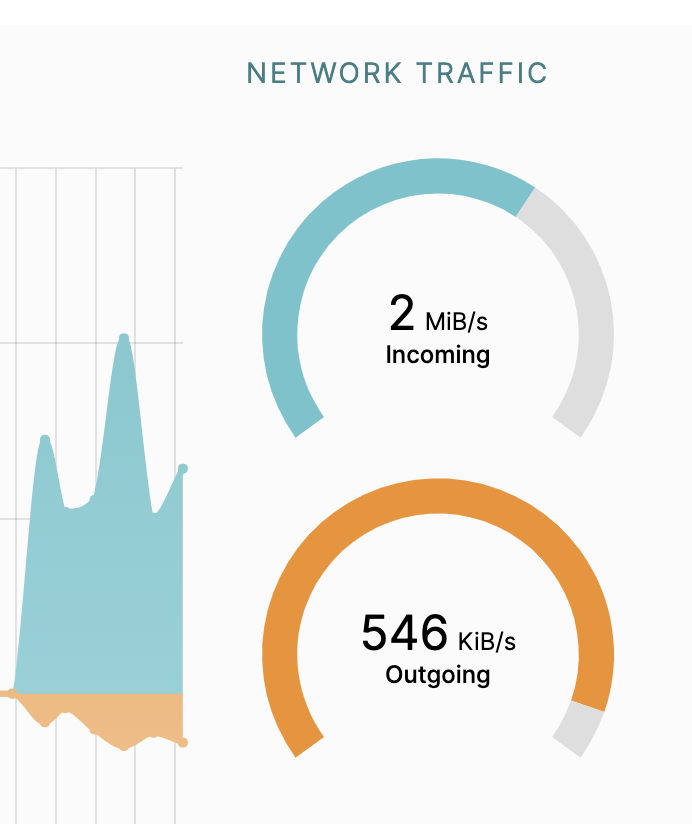
- And if we look, you’ll see incoming bandwith to IPFS Desktop
- On MacOS, double clicking the file will open and play it in a browser like Chrome which has webm video support
- You’ve just tested IPFS support in curl!
-
- Exploring Big Buck Bunny with IPFS Desktop
- It’s also available in your local IPFS node now, so if you paste in the hash into IPFS Desktop
bafybeigagd5nmnn2iys2f3doro7ydrevyr2mzarwidgadawmamiteydbziand hit browse, it will prompt you to open it with your local gateway 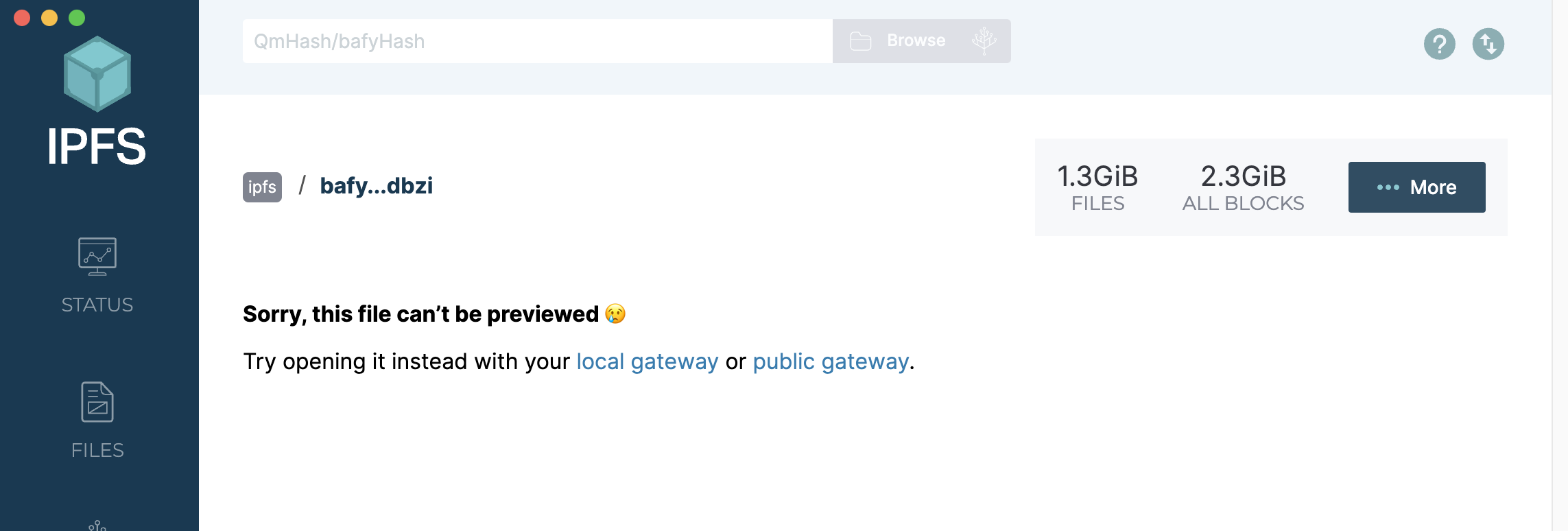
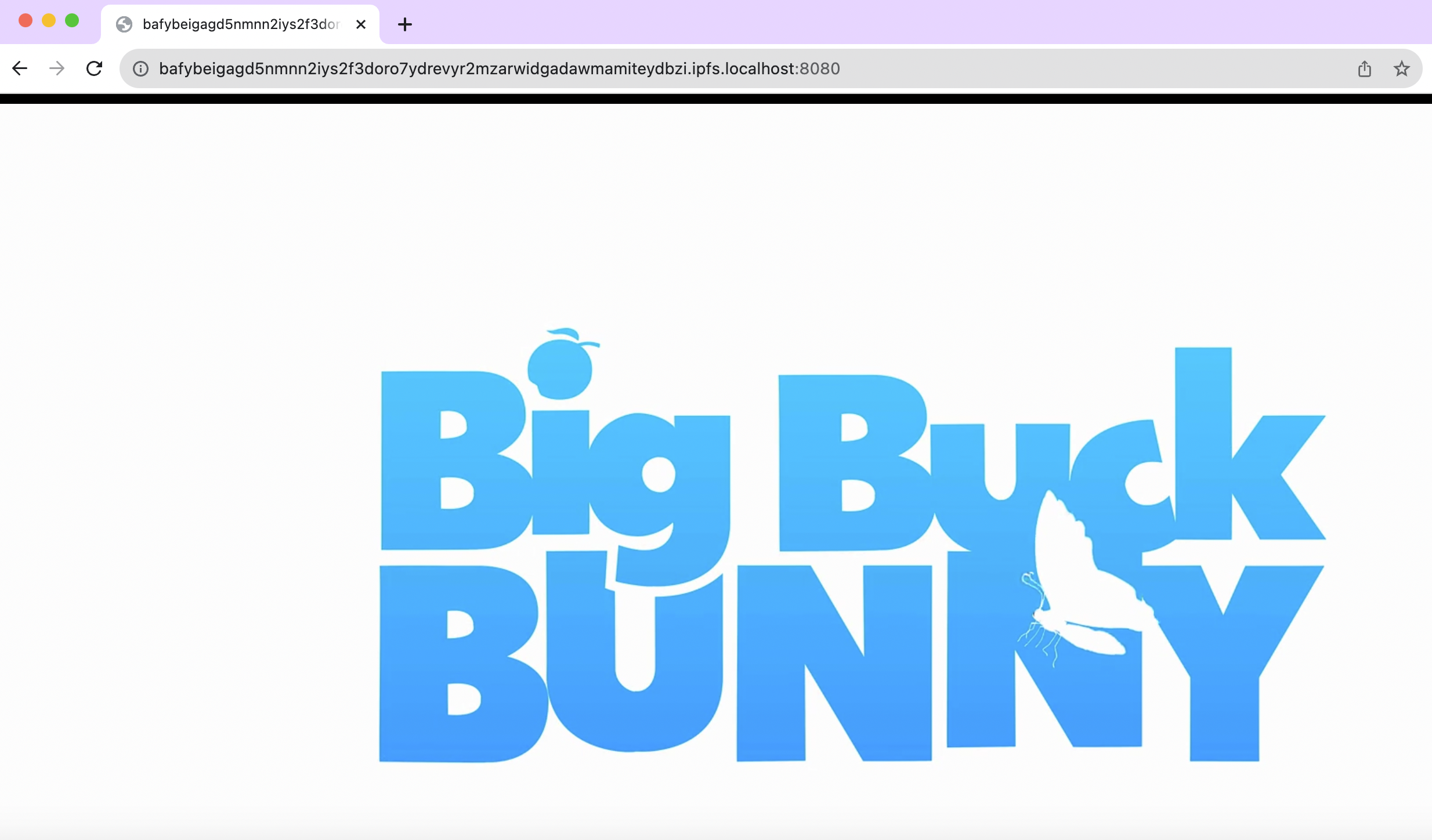
- Your local gateway link is this: http://bafybeigagd5nmnn2iys2f3doro7ydrevyr2mzarwidgadawmamiteydbzi.ipfs.localhost:8080/ — and it will play directly in your browser
 {:height 334, :width 554}
- If you select the “More” button, you get a drop down of options
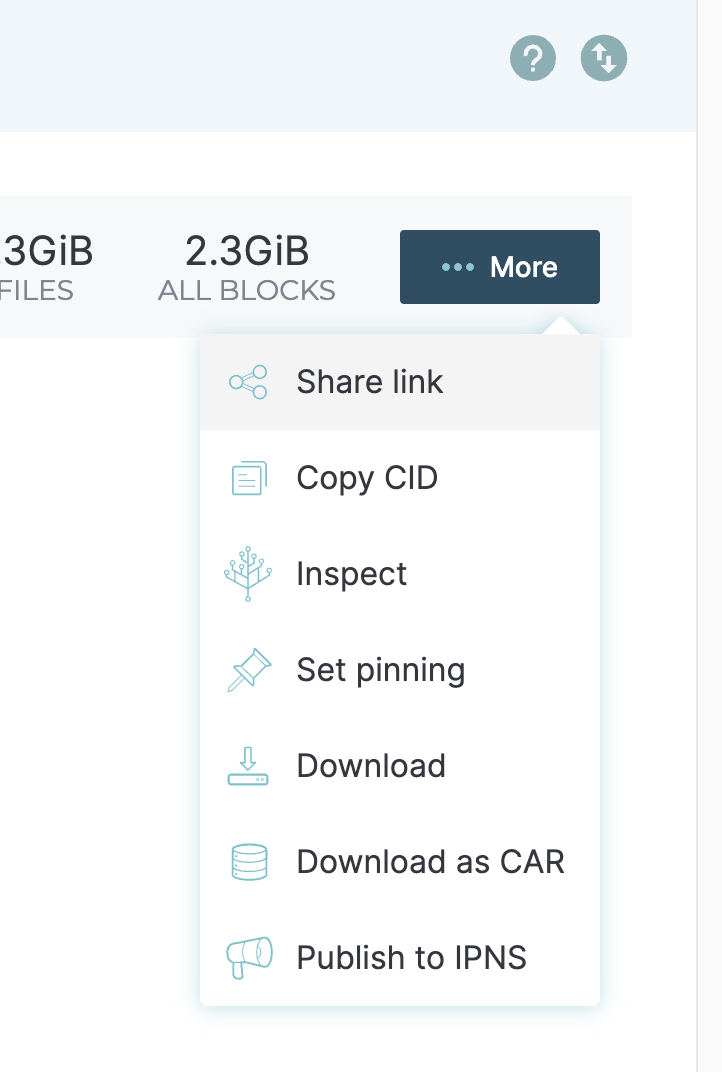
- I picked “Set pinning” so that I can help keep Big Buck Bunny online. The next time someone fetches it, my desktop might be helping to serve up the bits
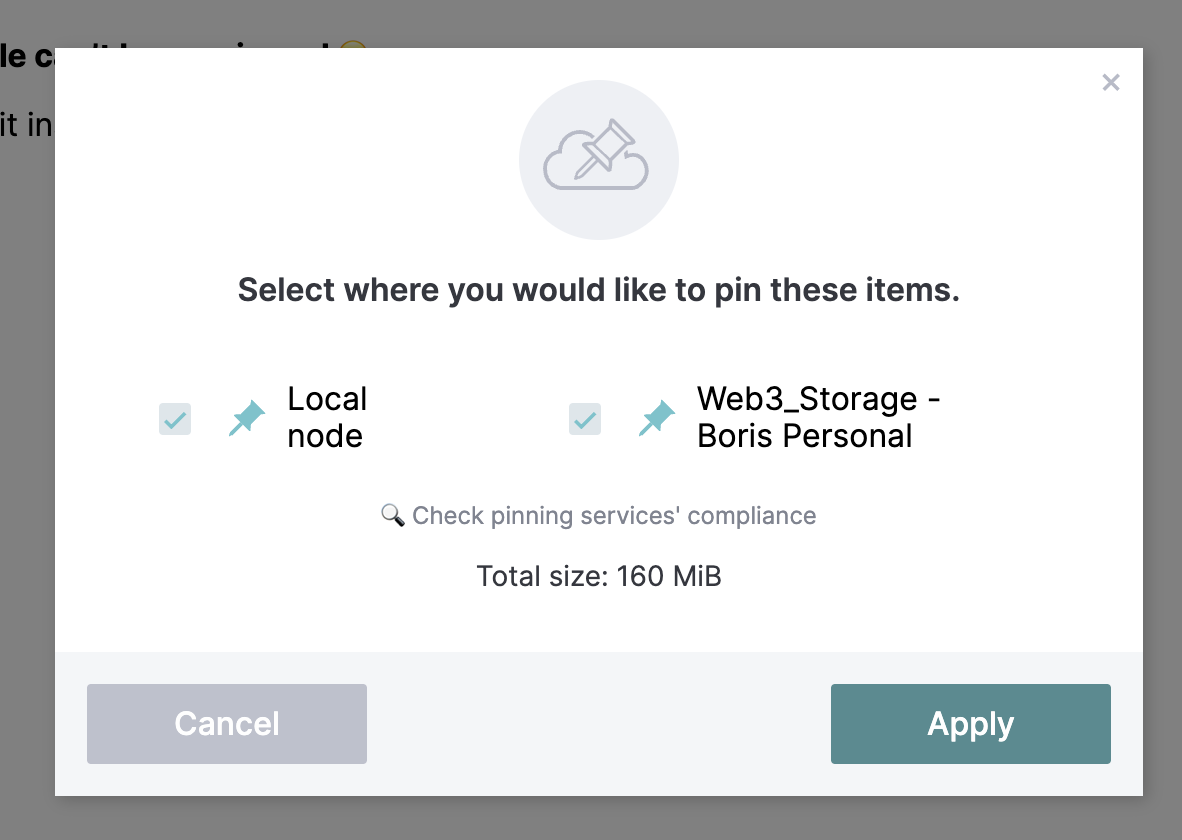
- I’ve got this 160MB file saved locally, and I also sent it to Web3Storage
- It’s also available in your local IPFS node now, so if you paste in the hash into IPFS Desktop
- I used
- Did you know that ffmpeg also has #ipfs support? That was also contributed by Mark Gaiser, so this also works:
-
fplay ipfs://bafybeigagd5nmnn2iys2f3doro7ydrevyr2mzarwidgadawmamiteydbzi - On #MacOS, you’ll need to use brew or similar to install ffmpeg for that to work
- And Mark had one more for me:
-
mpv ipfs://bafybeigagd5nmnn2iys2f3doro7ydrevyr2mzarwidgadawmamiteydbzi-
mpv also just works. There you see the power of re-using implementations. mpv knows nothing about it besides white-listing ipfs and ipns, it uses ffmpeg internally and just forwards it. https://mpv.io/
it also has a mac version https://mpv.io/installation/
-
-

Sep 20231:00am
- John Carmack #Twitter #DecentSocial
-
Several people I follow are actively trying to move users from Twitter/X to alternatives, but I don’t hear about exciting new features, and I do hear about them being kind of dead. Fragmenting the networks seems value-destructive for the world; is it really just to spite Elon? https://x.com/id_aa_carmack/status/1699060703272010047
-
Aug 20231:00am
- I’m finally making some DWebYVR/Drop-In notes from Aug 18th, 2023
- Riad came by and we talked about local #Vancouver moonshots and other tech
- Global Fusion
- Some quantum startups like DWave and Qubit
- New focus on biotech in Mount Pleasant, anchored by Abcellera
- Apparently MDA has the new contract for a #LEO network?
- We had a German visitor
- New to #vancouver folks from Australia, working for Replit
- Recommended Revolver, Nemesis, and Timbertrain as three local coffee shops that are excellent
- Riad came by and we talked about local #Vancouver moonshots and other tech
Aug 20231:00am
- I’m in London, Ontario today and for the week
- Completed #reading Lords of Uncreation
Aug 20231:00am
- Stacher a desktop GUI for YouTube download, via Rosano
- In order to enjoy Jack Rusher‘s music
-
The bird was bad for sharing original music; let’s try Bluesky… Tribute to David Lynch: finger drumming on the Ableton Push, some keyboards for bass and organ, then a layer of guitar. Image is Berlin’s Landwehr Kanal in winter, manipulated with pixel-sorting software I wrote in Clojure. https://bsky.app/profile/jackrusher.com/post/3k56gkjsllc2c
-
- In order to enjoy Jack Rusher‘s music
Aug 20231:00am
- Web Monetization in the Fediverse Jeremiah Lee #Web Monetization #Mastodon #Interledger
-
In April 2023, I began working with the Interledger Foundation as a technical ambassador to advance Web Monetization in Mastodon and other applications using ActivityPub. ActivityPub is a W3C standard that adds a social layer to the Web platform. It enables any website or app to have social networking functionality that can interoperate with other websites and apps. Instead of everyone having to join one social network, people can now pick a social network provider like they can pick an email provider. My project’s goal is to adapt Web Monetization to work within federated social networks with Mastodon being the reference implementation.
-
Aug 20231:00am
- Vitalik Buterin on Twitter/Community Notes What do I think about Community Notes?
- via Subconscious/Discord
-
Community notes is a sort of hope-pill for me. It feels like it’s on its way to becoming a positive example of people making sense together over the internet. Gordon Brander
- 11:16 quick capture: https://polyglotgeek.com/polish-idioms/
Aug 20231:00am
- Subconscious Beta #Subconscious #Noosphere
-
Subconscious is local-first software. Your data lives on your device, so you always have it with you. It’s also synced to IPFS, a decentralized network. This means you have the multiplayer features of a cloud app, but you own your data, and have credible exit through your device, or any IPFS peer.
-
Noosphere is open like email, or the web. Anyone can run a node, and developers can build new tools on top. But it also goes a step further, using self-certifying cryptography and decentralized protocols to eliminate the need for any centralized authority. That means you own your data forever. Noosphere is a knowledge commons for thinking freely with others.
- Sign up for beta waitlist https://docs.google.com/forms/d/e/1FAIpQLSf9l6eo5KQiEuT9JuomtTagd8DU37b6fXUrqlKbSWRfBBP-Bg/viewform
- Apparently Dietrich Ayala was first in the door!
-
Aug 20231:00am
- The OpenTF Manifesto is exactly what you think it is: an “Open Terraform”, reacting to the Hashicorp #BSL licensing of #Terraform
-
Terraform was open-sourced in 2014 under the Mozilla Public License (v2.0) (the “MPL”). Over the next ~9 years, it built up a community that included thousands of users, contributors, customers, certified practitioners, vendors, and an ecosystem of open-source modules, plugins, libraries, and extensions. Then, on August 10th, 2023, with little or no advance notice or chance for much, if not all, of the community to have any input, HashiCorp switched the license for Terraform from the MPL to the Business Source License (v1.1) (the “ BUSL ”), a non-open source license. In our opinion, this change threatens the entire community and ecosystem that’s built up around Terraform over the last 9 years.
Our concern: the BUSL license is a poison pill for Terraform.
- It has a large number of co-signed companies and individuals, which also commit to things like “Cover the cost of 5 FTEs for at least 5 years”
- TODO Retcon a link to the #Hashicorp BSL re-licensing, not just this aside
-
- I was asking about static site publishing and relative links in the Filecoin/Slack today
- olizilla pointed me to his all relative library https://github.com/olizilla/all-relative
- TODO figure out how to run all-relative as part of Github/Actions BMC/Backlog